How to Identify the Right PLC Spare Part Number
Learn to read the nameplate, decode part-number structure, check firmware, match the chassis, and gather the right info before sending a PLC spare part inquiry.
Why the Exact Part Number Matters
PLC modules from a single platform often look identical but differ in voltage, channel count, communication protocol, or firmware. Ordering a near-match can mean a module that physically fits but fails to communicate, or one that needs a configuration the rest of your system cannot support. Getting the part number right before you submit a request is the cheapest insurance against a failed swap during a maintenance window.
Read the Nameplate First
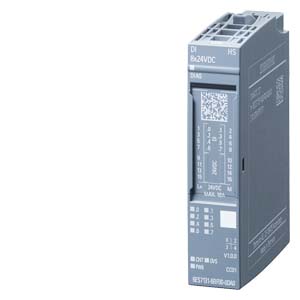
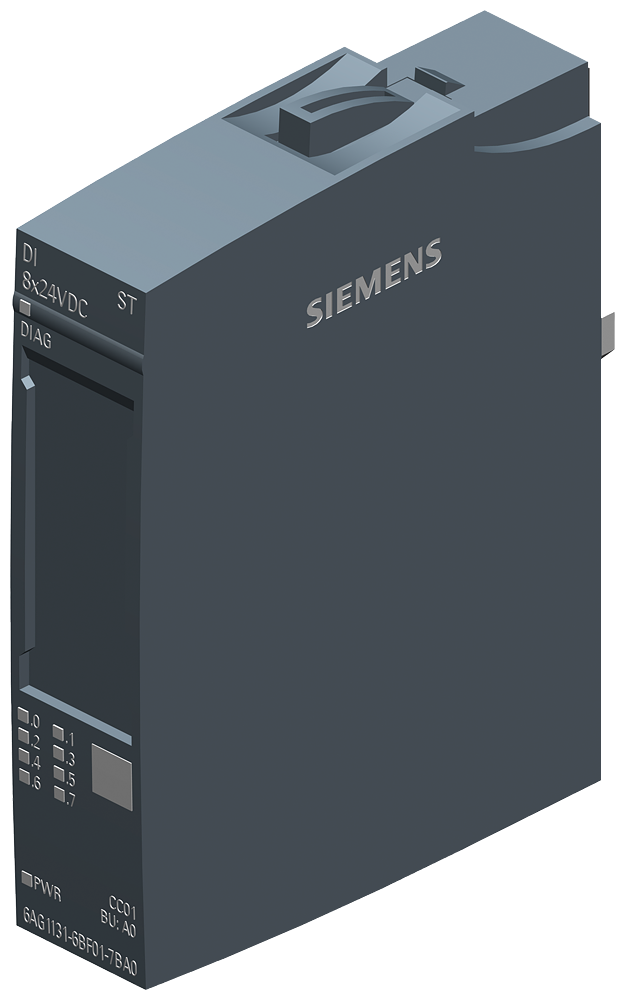
Start at the module itself. The faceplate or side label carries the information you need:
- Catalog or part number — the primary identifier, usually the longest alphanumeric string.
- Series or revision letter — indicates a hardware generation.
- Firmware or version marking — sometimes printed, sometimes only readable from the programming software.
- Voltage and signal ratings — confirm input/output type and range.
Photograph the full label rather than transcribing it. A clear photo avoids transcription errors and lets a supplier confirm details you might overlook. You can browse comparable items in the product catalog once you have the base number.
Decode the Part-Number Structure
Most manufacturers encode meaning into the part number. Segments typically describe the product family, module function, channel count, and signal type. For example, a chassis-based I/O module's number will usually break down into a family prefix, a function code, and a point/channel suffix. You do not need to memorize every scheme — but recognizing that each segment is meaningful helps you spot when two "similar" numbers are actually different products. When in doubt, treat the entire string as significant.
Check Firmware and Revision
A module can be the correct catalog number yet run firmware that does not match your processor or project file. Before submitting a request:
- Note the firmware revision required by your program.
- Confirm whether the requested module must be flashed to match, or must ship at a specific revision.
- Check for series-level differences that affect interchangeability.
For processor and controller spares, review records under product catalog and flag your firmware requirement up front.
Match the Chassis and Platform
A module only works inside the right chassis, rack, or base. Verify that the requested part matches your backplane, slot width, and power budget. Mixing modules across platform generations is a common cause of failed installs, so confirm the platform — not just the module — before you send the request.
What to Send With an Inquiry
For a clearer model review, include:
- The full part number and revision (a photo of the label is ideal).
- Quantity and required condition (new, refurbished, or either).
- Firmware or configuration constraints.
- Target need-by date.
The more complete your details, the easier it is to review the exact model, revision, and project context. Send an inquiry with your part numbers, or contact our team if you need help decoding a label before you submit a request.
Read Beyond the Front Label
The front label is the best starting point, but many PLC modules carry additional information on the side label, terminal cover, memory card, or chassis record. A controller may show a familiar family name on the front while the side label carries the exact catalog number and series. An I/O card may show only a short product family line on the front while the terminal base or wiring arm identifies the real installed assembly.
When access is safe and permitted by plant procedures, photograph the front label, side label, terminal area, and the slot where the module is installed. If the module is already removed, place it on a plain surface and photograph both sides. A slightly longer photo set can prevent hours of follow-up because the reviewer can see markings that are easy to miss during manual transcription.
Check the System Around the Module
A spare part request should not treat the module as an isolated object. Record the controller family, chassis, power supply, communication network, and adjacent modules when they affect the request. For example, a communication module may depend on the network type and firmware. An analog input module may depend on signal range and wiring style. A power supply may depend on rack size and input rating.
If you are creating a plant-wide list, group records by line, cabinet, chassis, and slot. This makes it easier to spot duplicate entries and identify where two similar part numbers belong to different machines. It also helps maintenance and procurement teams share one clean document rather than relying on separate screenshots and email threads.
Prepare a Cleaner Inquiry
A professional inquiry should answer six questions: what is the brand, what is the exact model, what is the module role, where is it installed, how many are needed, and what project context affects the review. Add condition preference and destination after those core details. If firmware is relevant, include the target revision. If the request is for a planned maintenance window, state the date and system impact without adding sensitive operational details.
Avoid shorthand that only makes sense inside one plant. A note such as "line 4 old CPU" may be clear to the maintenance team but too vague for outside review. A note such as "Siemens 6ES7315-2EH14-0AB0, S7-300 CPU, packaging line 4, firmware target noted, label photo attached" gives the review enough structure to proceed.
Keep a Reusable Part Record
After the inquiry is prepared, store the cleaned record in your maintenance file. Include the part number, brand, category, product family, photos, revision notes, and any response notes you are permitted to keep. The next time the same system needs review, the team can start from a verified record rather than rebuilding context from memory.