
Siemens 6ES7822-1AA07-0XC5 SIMATIC STEP 7 Professional V17 Inquiry
This listing records the Siemens engineering software package for industrial automation projects. Users may submit inquiries to review the specific technical parameters and licensing structure provided.
Quick Facts
- Part number
- 6ES7822-1AA07-0XC5
- Brand
- Siemens
- Category
- HMI Panels
- Product type
- SIMATIC STEP 7 Professional V17
- Lifecycle
- Prod. Discont.
- Dimensions
- 27.5 x 18.9 x 3.4 cm
- Net weight
- 0.265 Kg
Product Overview
The Siemens 6ES7822-1AA07-0XC5 represents a professional engineering environment for complex automation tasks. This software suite facilitates advanced configuration and programming workflows.
Designed for modern industrial applications, this package supports migration from legacy STEP 7 versions. It enables seamless transition to the TIA Portal ecosystem for enhanced productivity.
Technical Review Notes
- This product functions as a floating license key for SIMATIC STEP 7 Professional V17. It allows network-based usage across multiple engineering stations within an organization.
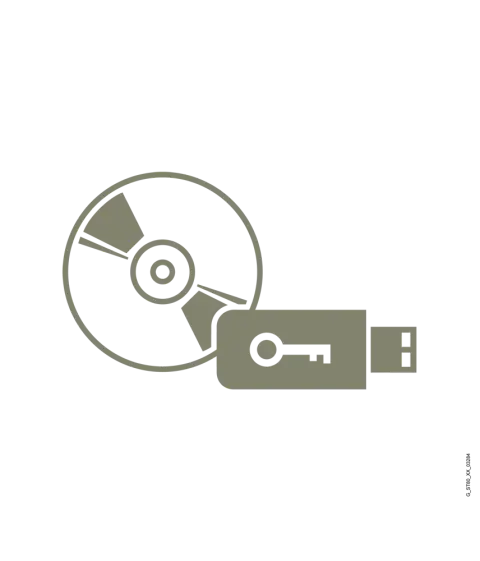
- The package includes comprehensive documentation and installation media distributed across five DVDs. A USB flash drive contains the essential license key for activation and software management.
- Engineering capabilities extend to SIMATIC S7-1200 and S7-1500 controller configurations. It also supports setup for S7-300, S7-400, and WinAC systems effectively.
- application context extends to SIMATIC Basic Panel integration for human-machine interface development. This ensures unified project management across control and visualization layers.
- The software operates on Windows 10 64-bit and Windows Server 2016 or 2019 environments. These operating systems provide the necessary platform for stable execution.
- Language support includes nine primary languages such as German, English, and Chinese. Additional languages like French, Spanish, and Japanese are accessible via download.
Model Identification
- The part number 6ES7822-1AA07-0XC5 identifies this specific software combination package. It distinguishes the professional version from standard or basic editions.
- Lifecycle status indicates production discontinuation for this specific item variant. Inquiries should focus on current project requirements and existing inventory assessments.
- The normalized identifier 6ES78221AA070XC5 removes hyphens for database consistency. This format aids in precise matching during technical reviews and catalog searches.
- Brand attribution remains with Siemens for this industrial automation engineering tool. The product class reflects its role within the broader SIMATIC portfolio structure.
Technical Parameters
| Product type | SIMATIC STEP 7 Professional V17 |
|---|---|
| Lifecycle | Prod. Discont. |
| Dimensions | 27.5 x 18.9 x 3.4 cm |
| Net weight | 0.265 Kg |
Parameters are factual source fields retained for model review.
Parameter Review
- Physical dimensions of the media package are recorded at 27.5 x 18.9 x 3.4 cm. These measurements apply to the combined storage containers provided.
- Net weight is listed as 0.265 Kg for the complete set of media. This includes all DVDs and the USB drive containing the license information.
- Source category path data is empty in the provided reference material. Users should verify the correct classification within their internal project documentation systems.
- The product type is explicitly defined as SIMATIC STEP 7 Professional V17. This confirms the major version and professional tier of the engineering software.
- Upgrade path information suggests migration from STEP 7 V5.3 through V5.7. This feature supports organizations transitioning from older software generations to modern tools.
Image & Label Review
- Visual representations should show the five DVD cases included in the set. Each disc contains specific installation files or documentation relevant to the software.
- The USB flash drive must be depicted as the license key carrier. This component is critical for activating the floating license on client machines.
- Packaging imagery should reflect the compact nature of the digital distribution. The small form factor contrasts with traditional bulky software boxes of earlier eras.
- Screenshots of the TIA Portal interface may accompany physical media images. These visuals help users understand the software environment they will be configuring.
Product Image Gallery
Inquiry Preparation
- Review the submitted model against current project engineering requirements before inquiry. Ensure the professional version features align with specific automation tasks needed.
- Verify operating system application context with Windows 10 64-bit or server variants. Confirm that target machines meet the minimum hardware specifications for installation.
- Check language preferences for both interface and documentation needs. Determine if additional downloads for French, Spanish, or other supported languages are necessary.
- Assess the need for floating license server infrastructure for deployment. Plan the network configuration to accommodate the multi-user access model effectively.
Category Context
This item falls under the HMI Panels category in some classifications. It relates to the engineering tools used for panel configuration and design.
The connection to SIMATIC Basic Panels highlights its role in visualization projects. Engineers use this software to create interfaces for operator interaction.
Cross-referencing with STEP 7 Professional ensures accurate categorization in databases. The software serves as the core engineering environment for these panel designs.
Review Notes
- Confirm the exact part number matches the required engineering software version. Discrepancies in numbering can lead to incorrect license types being reviewed.
- Validate the lifecycle status implications for long-term project planning. Production discontinuation may affect future support channels or update review details for the software.
- Ensure all media components are accounted for in the physical set. Missing DVDs or USB drives could hinder proper installation and activation processes.
- Double-check language pack review details for international team collaboration. Some languages require separate download steps which should be noted during the review phase.
Related products
Siemens 6ES7822-0AA07-0YA5 Inquiry: SIMATIC STEP 7 Basic V17 Floating License
- Part No.
- 6ES7822-0AA07-0YA5
- Category
- HMI Panels
- Product type
- SIMATIC STEP 7 Basic V17
- Lifecycle
- Prod. Discont.
Siemens 6ES7822-0AA07-0YE5 SIMATIC STEP 7 Basic V17 Upgrade License
- Part No.
- 6ES7822-0AA07-0YE5
- Category
- HMI Panels
- Product type
- SIMATIC STEP 7 Basic V17, upgrade V11
- Lifecycle
- Prod. Discont.
Siemens 6ES7822-0AA08-0YA5 Engineering Software Inquiry
- Part No.
- 6ES7822-0AA08-0YA5
- Category
- HMI Panels
- Product type
- SIMATIC STEP 7 Basic V18, floating license
- Lifecycle
- Prod. Discont.
6ES7822-0AA08-0YE5 Siemens SIMATIC STEP 7 Basic V18 Upgrade License
- Part No.
- 6ES7822-0AA08-0YE5
- Category
- HMI Panels
- Product type
- SIMATIC STEP 7 Basic V18, upgrade V11
- Lifecycle
- Prod. Discont.